
MASTERQC
BY MIKE TUCCI MASTERING
MasterQC runs the full delivery quality-control battery on every finished master: loudness, true peak, clips, clicks, dropouts, album consistency and more — analyze and confirm measurements and sonic ballistics easily.
The final step in every mastering engineer's workflow — Quality Control. Generate a PDF report for verification. Your audio never leaves the room or your computer.
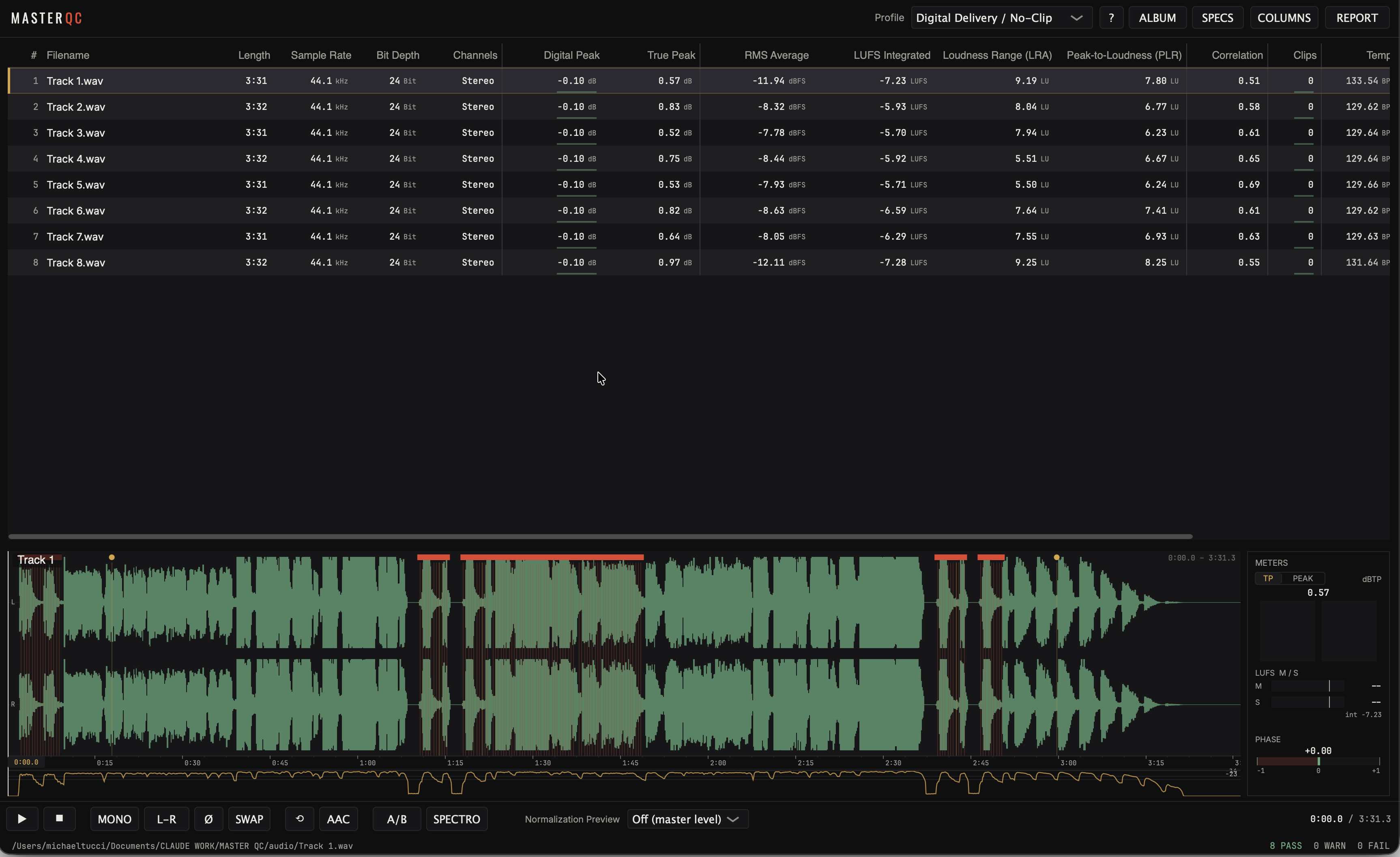
Clipped runs, one-sample dropouts, 16 bits padded into a 24-bit file — time-stamped, jump-to-able. True peak measured 4× oversampled, judged in dBTP.
PASS / REVIEW / FAIL per track against the delivery spec you choose. Green means done — not “probably fine.”
One PDF under your letterhead, fingerprinted to the exact files that shipped. Attach it and close the thread.
LUFS Integrated (ITU-R BS.1770) · loudness range
True peak (dBTP) · digital peak
PLR · RMS avg / max / min · crest factor
Streaming normalization preview per platform
Album consistency — spread, outliers, anchor
Clipped runs · clicks · dropouts — every one time-stamped
Hum detection · DC offset · noise floor
True bit depth — padded 16-in-24 gets caught
Stereo correlation · balance · polarity
Tempo & key · spectrogram inspector
Spec profiles: digital no-clip · Apple Digital Masters · CD Red Book
· CD/DDP prep · streaming
ISRC · metadata · CD-Text safety — the text that reaches the plant
PASS / REVIEW / FAIL per track and per album
One-page-per-track PDF delivery report
SHA-256 + PCM-MD5 fingerprints on every file
A/B audition · AAC/Opus/MP3 codec roundtrips · sessions · album mode
Drag the masters folder in. Every track analyzes in parallel against the delivery profile you choose — a full album in about the time it takes to pour a coffee.
PASS / REVIEW / FAIL per track — with the exact timestamp of every click, clip and dropout, so you fix instead of hunt.
Jump to the flagged sample, audition the moment, re-bounce, re-drop. The re-analyzed track keeps its place in the session. The ears stay yours — the checklist stops being one.
Verdicts are always per-profile — the same session re-checks against each destination's limits in one click, and the report names the spec it was judged against.
The normalization preview auditions your master in real time at each Digital Streaming Platform's playback level — the loudness-normalization reality check.
Sum to mono in one press — the radio check, the club check, the phone-speaker check.
Solo the side signal to hear exactly what stereo processing added — and what vinyl will fight.
Polarity flip for instant cancellation checks against a reference or an earlier pass.
Swap L/R to break symmetry bias — imbalances jump out when the image flips.
Plus codec roundtrips, run automatically on every track: your master encoded, decoded and re-measured as AAC 256 (Apple's own Digital Masters chain), Opus 160 and MP3 320. Hear the encode, and see the peak and true peak it actually comes back at — the Streaming and Apple Digital Masters profiles judge those decoded numbers, which is how a clean −0.1 dBFS master gets caught returning over full scale. Plus a full spectrogram inspector.
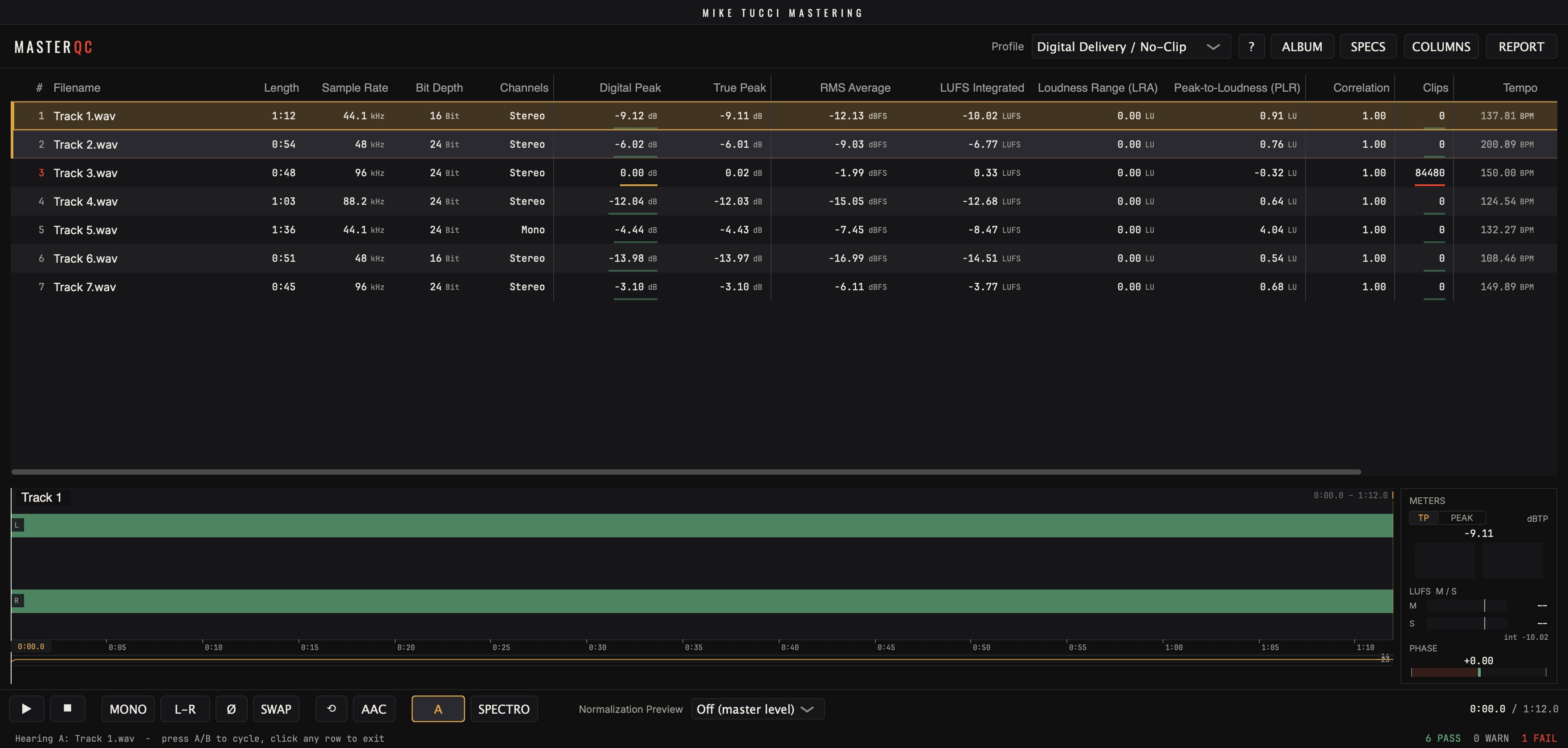
Select two or three tracks and cycle A / B / C — every master plays at its own level, exactly as delivered. No loudness match, no normalization: you judge the masters themselves, not a corrected version of them. The playhead keeps its position across switches: the same chorus, through each candidate.
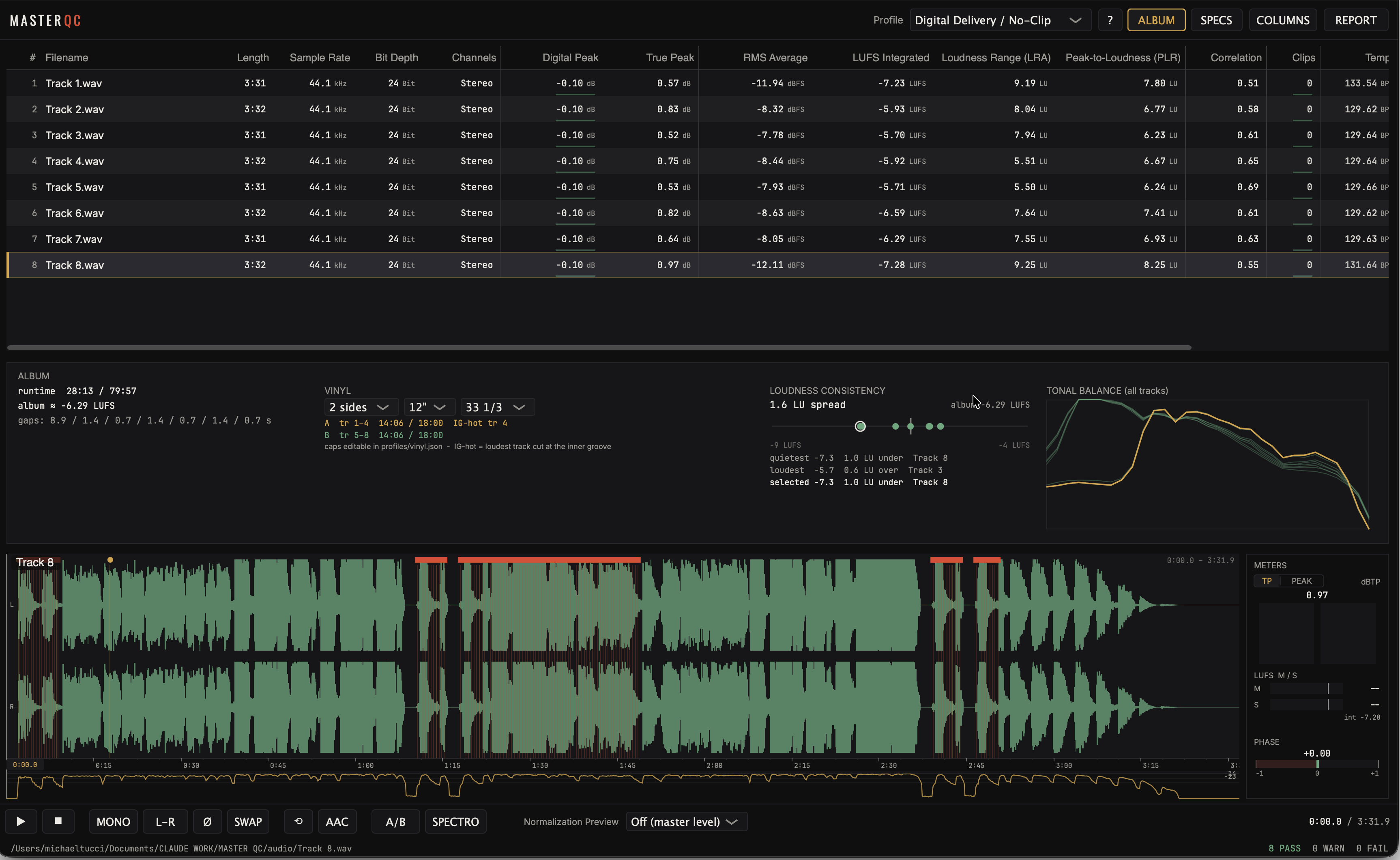
Track-to-track spread with outliers flagged, an album anchor line, and quietest / loudest callouts in LU.
Every track's spectrum overlaid on one plot — the odd one out shows itself.
Side splits by size and speed, side-length caps, and an inner-groove caution when the hottest track sits last.
Album runtime against the CD ceiling, gap timing, and an album-level verdict beside the per-track ones.
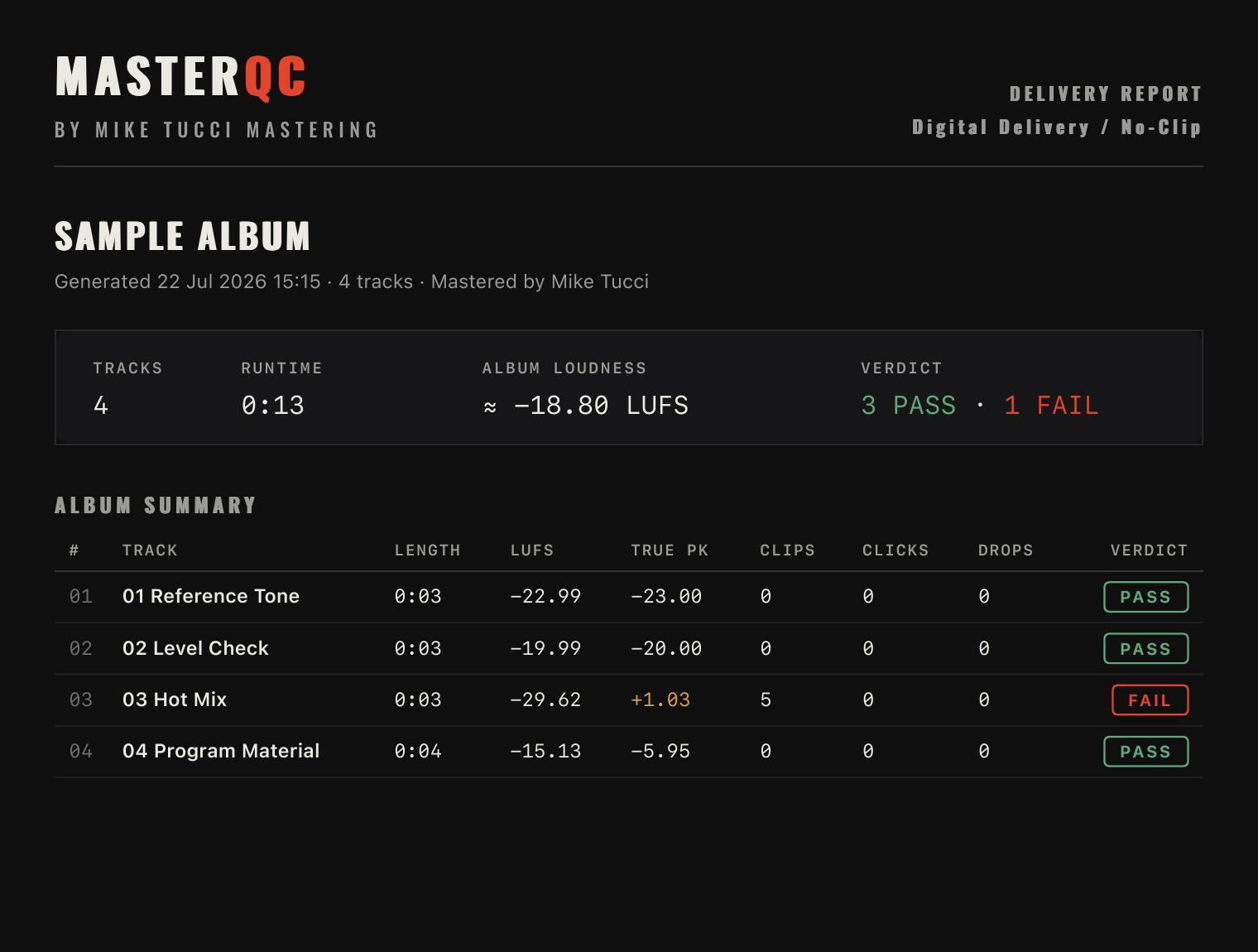
The report is one PDF under your letterhead — verdicts, the numbers behind them, and the checks that ran.
You choose what it carries before you export. CLIENT for the verdict and the headline numbers; FULL for the engineer-to-engineer version — codec roundtrips, ISRC and CD-Text, forensics, the per-track issue list and the provenance hashes. Five switches for anything in between.
A non-engineer reads it in a minute; an engineer trusts it in ten seconds. Include it in the delivery email for clients, or use it for in-studio verification.
The last check before anything leaves the studio. Full albums, delivery-spec verdicts, and the signed report your invoice rides on.
Verify bounces before they go up the chain — clips, dropouts, DC, true bit depth. Know it's clean before mastering ever hears it.
Check what you were delivered. Drop the files in and read the verdicts — no metering degree required.
QC incoming masters before they ship to DSPs. Batch a catalog drop, keep the PDFs on file, and hold every delivery to the same spec.

14 days, every feature, no card required — the whole app, unmarked reports included.
.mqcsession to reopen a saved session. Delivery profiles
for digital no-clip, Apple Digital Masters, CD Red Book, CD/DDP prep and streaming —
verdicts are always per-profile, so one session can be checked against the spec each
destination actually wants. Vinyl is covered separately, in album mode's side planner.
MasterQC is made by Mike Tucci Mastering. Every check exists because a real delivery needed it. No telemetry, no subscription, no roadmap theater — just the last step of the mastering workflow, a tool to bulletproof final delivery in full confidence, and done properly.
Bought MasterQC and lost the email? Enter the address you purchased with — your keys will be re-sent.